

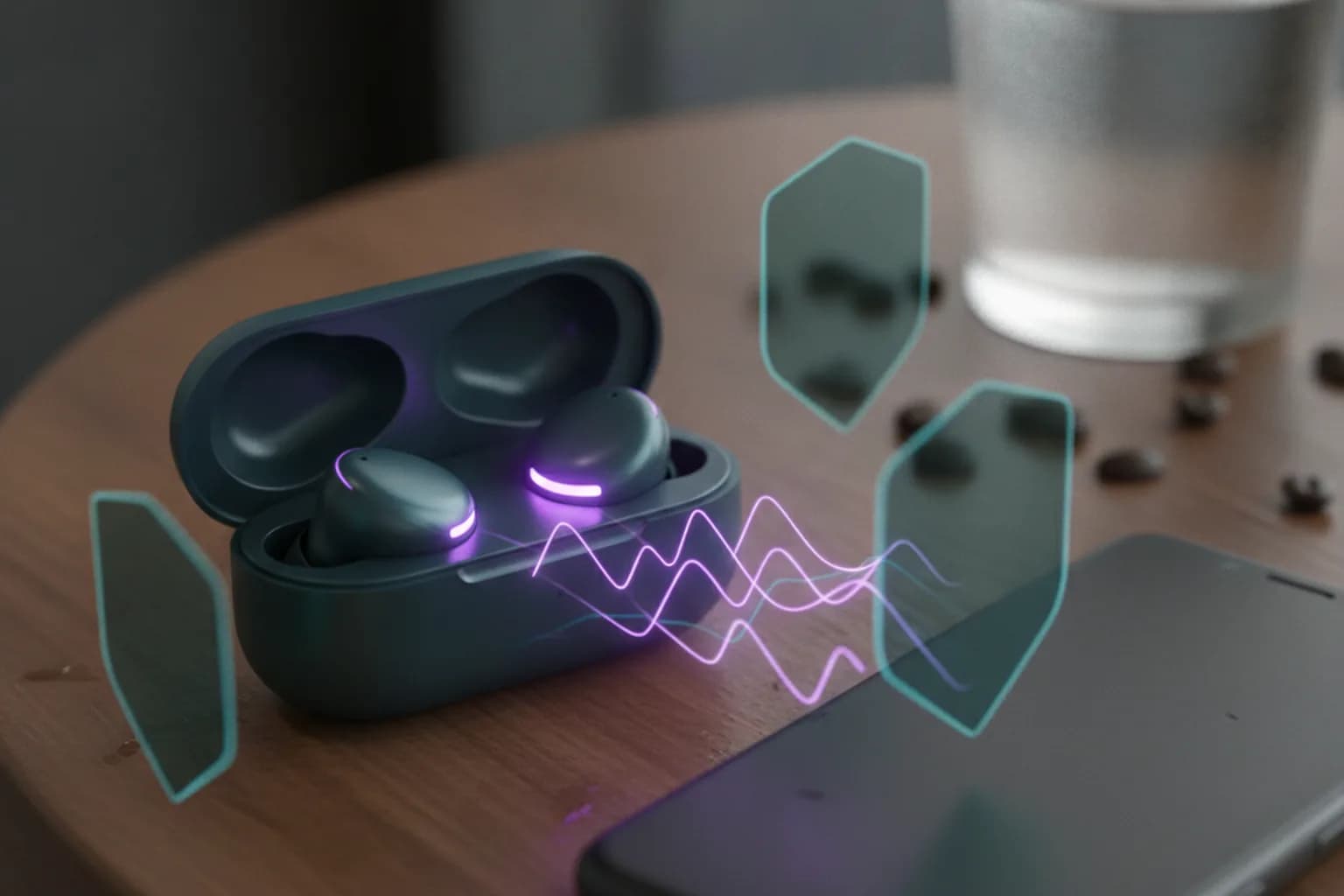
Short answer: yes, vulnerable Bluetooth earbuds and headphones can be used to eavesdrop on you and reach your phone — this isn't theoretical, it's two real attack classes documented in 2025–2026: WhisperPair (CVE-2025-36911) in Google's Fast Pair protocol, and three vulnerabilities in Airoha audio chips (CVE-2025-20700, -20701, -20702). The attacker has to be physically close — this doesn't work remotely over the internet. The main defense is updating the firmware on the headphones themselves through the manufacturer's app (updating your phone alone doesn't fix it), and not leaving Bluetooth on when you're not using it. A VPN doesn't protect the Bluetooth radio channel, but it does cover your phone's network traffic — a separate, still useful layer.
Below is what's actually vulnerable, how the attacks work, and what to do today, without hype. If you suspect someone is tracking your device rather than your headphones, that's a different scenario covered in how to stop phone tracking.
Can Someone Hack Your Phone Through Bluetooth Headphones?
Technically, yes — which sounds odd, because we're used to thinking of phone threats as malicious apps or phishing links, not headphones sitting on a desk. But a phone and its headset have a special relationship: headphones are a "trusted device" the phone lets handle calls, music, and sometimes the voice assistant. If an attacker gains control of that trusted device, or convinces the phone it's talking to it, they inherit the same channel the owner normally uses.
Both attack classes below require physical proximity — we're talking meters, the normal range of Bluetooth. Neither WhisperPair nor the Airoha flaws let someone attack your phone from another country or through a page open in a browser: it takes a person with a laptop or a purpose-built receiver near you.
This is different from tracker-based stalking, like AirTags planted in a bag or car — there the threat is someone else's device, not your own. That scenario and its defenses are covered in how to detect Bluetooth tracker stalking. Here the concern is that your OWN accessory — your earbuds or speaker — can become the entry point.
WhisperPair: What's Wrong With Google Fast Pair
Fast Pair is Google's protocol for quickly pairing Bluetooth accessories with Android: the phone spots a nearby accessory and offers one-tap pairing instead of manual setup. It's exactly this protocol where researchers from KU Leuven's COSIC group (Belgium) found the flaw they named WhisperPair, registered as CVE-2025-36911.
How the Attack Works
Under the Fast Pair spec, an accessory that isn't in its dedicated pairing mode (usually triggered by a long button press or through an app) is supposed to ignore incoming pairing requests. That's the built-in defense against strangers: headphones sitting in your pocket shouldn't answer someone else's pairing attempt. The problem is that many manufacturers either skip this check or implement it incorrectly. As a result, the headphones or speaker respond to a pairing request even though the owner never touched anything or put the device into pairing mode. According to the researchers, on vulnerable models the forced pairing can complete in well under the time it would take an owner to notice.
What an Attacker Gains
- access to the headset's microphone — meaning the ability to listen to whatever is happening near the headphones;
- control over playback and volume, and on some models, other accessory functions;
- the ability to track the accessory's location through Google's Find Hub network, if the owner hasn't yet linked the headphones to their own account — an attacker can effectively claim the device first;
- a window where the phone believes it's talking to "its" headphones while it's actually interacting with someone else's device.
Google received the vulnerability report in August 2025 and rated it critical, with a maximum bug bounty payout of $15,000. The flaw went public in January 2026 — first from the research group itself, then covered by Malwarebytes Labs. According to their reporting, the issue has been confirmed on models from at least 10 manufacturers, including Sony, Jabra, JBL, Marshall, Xiaomi, Nothing, OnePlus, Soundcore, Logitech, and Google's own headphones. One important nuance: WhisperPair attacks the accessory, not the phone's operating system, so iPhone owners aren't automatically protected either — if their headphones support Fast Pair (and many mainstream models do, alongside their own proprietary protocols), the vulnerability applies to them regardless of which phone brand they use.
Airoha Chip Vulnerabilities: When Headphones Impersonate a Trusted Device
The second attack class targets the chips themselves rather than the pairing protocol. Airoha is a Taiwanese manufacturer of Bluetooth audio chips used across a wide range of headphones and speakers, from budget models to premium ones. Researchers Dennis Heinze and Frieder Steinmetz from the German firm ERNW found a debug protocol called RACE inside these chips' SDK — a service interface that remains reachable even without pairing and without any authentication. The flaws were registered as CVE-2025-20700, CVE-2025-20701, and CVE-2025-20702.
In practice, RACE lets an attacker within Bluetooth range read and write the headphones' memory directly, bypassing the normal connection process. That makes it possible to extract the link key — the secret the headphones and phone use to recognize each other on every connection. With that key, an attacker's device can impersonate the phone's already-trusted headphones. From there, every function the phone grants a trusted headset becomes available: handling calls, reaching the voice assistant, and in some scenarios, reading data that passes over the audio channel.
Airoha delivered a fixed SDK to manufacturers in early June 2025, after which ERNW published a preliminary advisory, followed by a full disclosure with technical details in December 2025. The catch is that the path from a fixed SDK to firmware in a user's hands is long: the chipmaker fixes the SDK → the headphone manufacturer adapts firmware for its specific model → ships an update → the user installs it. Each step can add months of delay, and some models already on the market may never get an update at all. Confirmed devices built on Airoha chips include, among others, the Sony WF- and WH-1000XM series, and a number of Marshall, JBL, and Beyerdynamic models — though the full list of affected products on the market is broader than what's been publicly confirmed.
What Other Bluetooth Risks Still Matter
WhisperPair and the Airoha flaws aren't the first big Bluetooth security stories, and they won't be the last — this is a recurring class of risk. In 2017, Armis researchers disclosed BlueBorne, a set of vulnerabilities that could be exploited without any pairing at all, just by Bluetooth being turned on. In 2023, the EURECOM team disclosed BLUFFS (CVE-2023-24023), an attack on the key-negotiation process used when previously paired devices reconnect. None of this means Bluetooth is inherently unsafe, but it does mean it shouldn't be treated as a "secure by default" channel.
A more everyday issue is device discoverability and pairing spam: the longer your headphones stay visible to outside connection attempts, the higher the chance someone nearby will try to use that window. There's also the practical risk of old, unsupported devices: if a patch for an Airoha-class flaw never ships for a given model, it stays vulnerable indefinitely. It's the same underlying principle as a smartphone that no longer gets security updates — covered in more depth in smartphone without security updates.
How to Check If Your Headphones Are Vulnerable
Start with the manufacturer's own app (Sony Headphones Connect, JBL Headphones, Soundcore App, Bose Music, Jabra Sound+, and similar) and check the installed firmware version and whether an update is available. Manufacturers who've confirmed the vulnerability on their models typically publish their own security bulletins — worth checking your brand's support page, Airoha's bulletin for devices built on their chips, and the KU Leuven COSIC and ERNW write-ups if you want the technical detail on a specific model.
A few indirect signs are worth taking seriously: unexpected reconnections to a device you don't recognize, odd clicks or sounds with no obvious cause, battery draining noticeably faster than usual, or a Find Hub notification about an unknown tracker nearby (which can mean the accessory has been "seen" by someone else's account). If your phone is behaving oddly beyond just the headphones, it's worth going through the broader checklist in signs your phone is hacked.
Does a VPN Protect Against Bluetooth Attacks?
Short answer: no, and it's worth saying that plainly rather than overselling it. A VPN operates at the network-traffic layer of your phone — Wi-Fi and mobile data — while Bluetooth is a separate radio channel a VPN never touches. No VPN app can stop another device from trying to force a pairing with your headphones or read their memory over the RACE protocol: those attacks happen at a layer where a VPN simply isn't involved.
But a VPN does have an honest role here, and it isn't invented just to sell a subscription. The same places where a Bluetooth attack is physically possible — an airport, a café, a coworking space — usually carry network risks too: open Wi-Fi, a lookalike fake hotspot, unencrypted traffic that can be intercepted. Here's how that breaks down by specific threat:
| Threat | Does a VPN help | What actually helps |
|---|---|---|
| Forced pairing (WhisperPair) | No | Headphone firmware update, linking the accessory to your own Find Hub account |
| Link-key theft (Airoha RACE) | No | Firmware update, turning off Bluetooth when not in use |
| Eavesdropping via the headset microphone | No | Firmware update, disconnecting a suspicious accessory, reviewing active connections |
| Traffic interception on nearby public Wi-Fi (same airport or café) | Yes | VPN, HTTPS on sites you visit |
| Fake access point (Evil Twin) | Partially, for the traffic itself | VPN, not auto-joining open networks |
| DNS query leakage to the network or ISP | Yes | VPN with DNS-leak protection |
In other words, a VPN covers the adjacent, genuinely real part of the same scenario: you're in a crowded place with strangers' Bluetooth devices and someone else's Wi-Fi around you at the same time. On Android — the main platform for Fast Pair and most of the vulnerable models discussed above — LiMP VPN for Android encrypts your phone's entire network traffic under a no-logs policy, so the network side of an airport or café visit is covered even though Bluetooth threats stay outside what any VPN can reach. For a broader look at what a VPN protects against, see what a VPN protects against, and for public-network specifics, see public Wi-Fi security.
Where the Risk Is Higher: Airports, Offices, Transit

Bluetooth attack risk scales directly with how many strangers end up within range of your accessory and how long you stay there. Airports and train stations are the classic case: lots of people, long waits, and often open Wi-Fi nearby too — Bluetooth risk and network risk overlap in the same physical space.
Coworking spaces and open-plan offices create a different kind of exposure: people sit close to each other for hours, not minutes, and often wear the same headphones through calls and meetings — meaning a headset microphone can become a channel for eavesdropping on a specific conversation rather than a random slice of the day. In meeting rooms, it's worth treating unfamiliar nearby devices with the same caution as an unfamiliar person sitting in on the call.
Public transit is shorter but more frequent contact: a single ride might last minutes, but it repeats daily, and on a crowded route dozens of strangers' Bluetooth devices can be within range at once. The main defense here is simple: don't leave Bluetooth on "just in case" when your headphones aren't actually in use.
Checklist: How to Secure Your Headphones and Phone
- update your headphones' or speaker's firmware through the manufacturer's app, and turn on auto-update if it's available;
- link a new accessory to your own account via Fast Pair or Find Hub right after buying it, so no one else can claim it first;
- turn off Bluetooth when your headphones aren't in use, especially in crowded places like airports or transit;
- remove old and unrecognized entries from your phone's list of paired devices;
- don't accept unexpected pairing requests or confirm codes you didn't initiate yourself;
- restrict voice-assistant access from the phone's lock screen;
- if the manufacturer hasn't shipped and isn't planning a patch for your model, treat replacing the device as a real option rather than ignoring the issue;
- keep a VPN on continuously on public networks — it covers the network side of the risk even while the Bluetooth threat remains a separate issue.
Frequently Asked Questions
Are AirPods at risk too?
Neither the WhisperPair nor the Airoha disclosures mention AirPods — WhisperPair targets Google's Fast Pair protocol, and the Airoha flaws are specific to that manufacturer's chips, which Apple doesn't use in AirPods. That doesn't guarantee AirPods have no security issues of their own; the underlying principle is the same either way: keep firmware current, and AirPods update automatically when connected to an up-to-date iPhone.
Can someone eavesdrop if my headphones are off or in the case?
Both attacks require an accessory that's powered on and actively communicating over Bluetooth. Powered off or closed inside a case, most models don't respond to pairing requests or the RACE protocol, though the exact behavior depends on the specific model and its power-saving mode. It's safer not to rely on the case being closed and instead turn off Bluetooth on your phone whenever you don't actually need the headphones.
Do I need to throw away vulnerable headphones?
No, in most cases that's overkill. Check the manufacturer's app for a firmware update first — patches have already shipped, or are shipping, for many models. Replacement is worth considering only if the manufacturer has officially said no update is coming for your specific model.
Does Bluetooth's "hidden" or non-discoverable mode help?
Partially. It cuts down on random and spam pairing attempts from nearby strangers' devices, but it doesn't close the WhisperPair or Airoha RACE vulnerabilities themselves, which exploit how the protocol behaves at a lower level, not whether the device shows up in a pairing list.
How do I know if someone else has connected to my headphones?
Check the active connections list in the manufacturer's app — it usually shows what's currently connected. On models with multipoint (connecting to more than one device at once), make sure every connected device is actually yours. An unexpected appearance of your accessory in someone else's Find Hub account is another signal, and your phone will typically notify you about it.
Are Bluetooth speakers and car infotainment systems at risk too?
Speakers built on the same Airoha chips are subject to the same vulnerabilities — Marshall, for instance, makes speakers as well as headphones on that platform. Car infotainment systems are a separate category of device with their own software; the general advice is the same: watch for firmware updates the automaker issues through its own channels.
Does phone antivirus software help against these attacks?
No. Both vulnerabilities live in the accessory's own firmware — the headphones or speaker — not in the phone's operating system or any app installed on it. Phone antivirus software has no visibility into, and no way to inspect, what's happening inside a third-party accessory's chip.